Written by: Jin Fujisaki / Published: 2026-02-04
When you're writing prose, or writing code. You suddenly take your hands off the keyboard and grab the mouse just to move the cursor. We repeat this motion hundreds, even thousands of times a day.
"What if your fingertips could stay glued to the keyboard, and every operation could be completed without ever leaving it?" A device that fulfills this ultimate wish of professionals has finally arrived.
Today's review is the "HHKB Studio (Happy Hacking Keyboard Studio)," sent out with confidence by PFU. As the name suggests, this isn't merely an input device—it's a "studio" that condenses everything you need for creative work. Once you experience this comfort, your right hand will never set out on a journey to find the mouse again.
| The Fusion of TrackPoint and Touchpad

image HHKB
HHKB is known as the keyboard of choice for professionals, beloved for its minimal key layout stripped of all excess and its supreme typing feel. But this "Studio" is a different beast altogether.
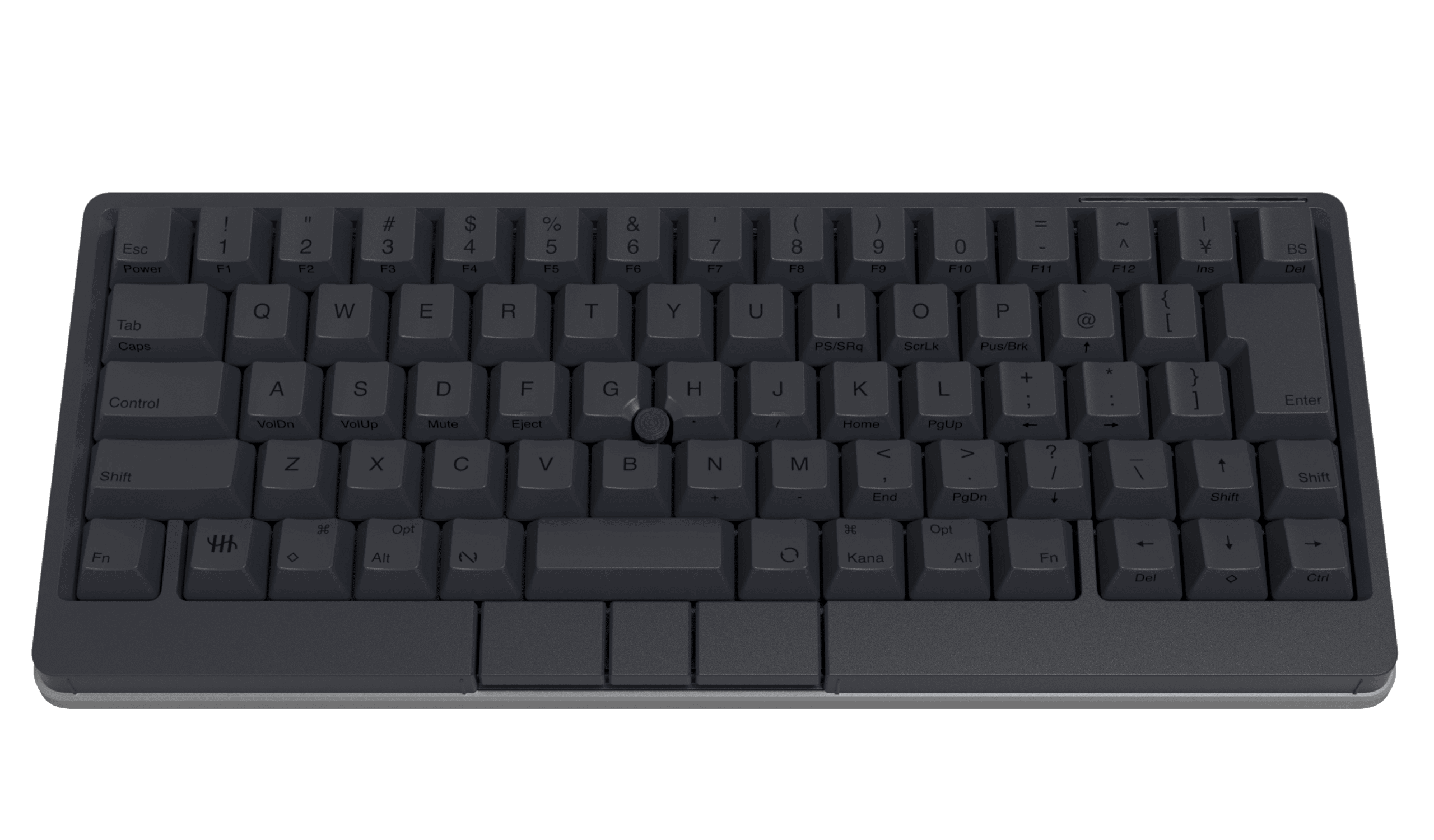
Right in the dead center of the keyboard, between the G and H keys, a "pointing stick" is embedded. It's that little nub-style stick that ThinkPad users know and love. With it, you can freely control the cursor without ever lifting your hands from the home row.
What's even more astonishing are the "gesture pads" mounted on the sides and the front-left and front-right of the body. Just by gliding your finger along the edge of the keyboard, you can scroll the screen, adjust the volume, switch between windows, and more. "Type," "move," "adjust." Every operation is completed within this small rectangle alone.
| Adopting Silent Linear Switches: A Refined "Tok-Tok" Resonating in the Silence
image gihyo
While traditional HHKBs were celebrated for their distinctive "electrostatic capacitive non-contact" switches, the Studio deliberately adopts "mechanical switches." There's no need to worry, "Wait, does that mean that signature typing feel is gone?"
What's been adopted are custom-made "silent linear switches" from Kailh. With no friction, the keys sink down smoothly, and when they bottom out, an elegant "tok-tok" sound resonates. While respecting the feel of the traditional HHKB, it has evolved into a more modern, smoother typing experience.
What's more, since it supports hot-swapping, you can also swap in commercially available switches to suit your preference. In terms of customizability too, it lives up to its "Studio" name without question.
| Never Stop the Flow of Thought. That's the Greatest Spec.
image HHKB
The greatest benefit of using this keyboard comes down to one thing: "your concentration never breaks."
The act of reaching for the mouse is, in fact, a subtle stress, and it acts as a trigger that resets your focus. With the HHKB Studio, your gaze stays fixed on the screen, and your hands remain on the home row at all times.
The moment an idea descends upon you, you type it out as is, fine-tune with the stick, and scroll with the pad to verify. There's no physical lag between thought and input. This sense of immersion is precisely what justifies the price tag of over 40,000 yen.
| For Every Creator Who Wants to Dive Deep into the Efficiency Rabbit Hole

image HHKB
This product can become the "endgame keyboard" for people like the following:
- Programmers and engineers exhausted from the back-and-forth between mouse and keyboard
- Writers who want to keep writing in one continuous stroke, without ever stopping
- Minimalists who want to keep their desk tidy and don't even want to place a mouse on it
- People who can't help but miss the "red nub" navigation of ThinkPads
The price is 44,000 yen including tax. It's top-tier as far as keyboards go, but if you think of it as buying a high-end mouse and a high-end keyboard at the same time, it's by no means expensive.
| Summary: Move the World with the "Smallest Movement" of Your Fingertips Alone
image HHKB
The HHKB Studio is one culmination point in the history of input devices.
How much freedom and speed can the constraint of "never taking your hands off the keyboard" actually bring? That pleasure can only be understood by those who have actually placed their fingers on it. Now then, why not transform your desk into the ultimate creative space—your very own studio?