Written by: Jin Fujisaki / Published: 2026-02-18
Until now, trackpads have been "2D" devices — the cursor only moves once your finger actually touches the glass. But in 2026, when spatial computing has become the norm, that feels far too restrictive. The "HyperSpace Trackpad Pro" uses a built-in micro-millimeter-wave radar to detect finger movement up to 3 centimeters above the glass surface.
Pinch in mid-air to grab a file, then lift and drop it into another folder. In DTM (music production) software, simply move your finger up and down over a fader to adjust the volume. Without ever touching the screen, you can tweak parameters in the air like a wizard casting a spell. This isn't a "touch panel." It's a "volumetric controller."
| Feel the grit of sand. The shock of "Texture Haptics"

image Windows Central
Apple's trackpad already reproduced the sensation of a "click" through vibration, but HyperSpace goes a step further. By converting vibration frequencies, it transmits the texture of the material shown on screen straight to your fingertips.
Select a "paper" texture in Photoshop and you'll feel a dry, rasping resistance under your finger. Scroll through a timeline in video editing software and you'll feel detents flick at your finger, like a physical dial going "click-click-click." Even though you're touching perfectly smooth glass, your brain is fooled into believing there are bumps and grooves there. This "haptic feedback" eliminates the need for visual confirmation and dramatically speeds up your workflow.
| As a controller for Vision Pro. Manipulate space "at hand"
image TechPowerUp
This device truly shines when paired with an XR headset like the Apple Vision Pro. Waving your arms in mid-air to manipulate windows is exhausting (the infamous "gorilla arm" problem). But with HyperSpace, you can keep your hands resting on the desk and organize windows in space using only the subtlest fingertip gestures.
Select with your eyes, then make an "OK" sign just above the trackpad. That's all it takes to confirm — and it's blissfully comfortable. Place it next to your physical keyboard, and your desk becomes a bridge linking "reality" and "virtual space." No more embarrassing gesture-dancing in front of other people.
| Jet-black "Obsidian Glass." No borders, no edges
image Techaeris
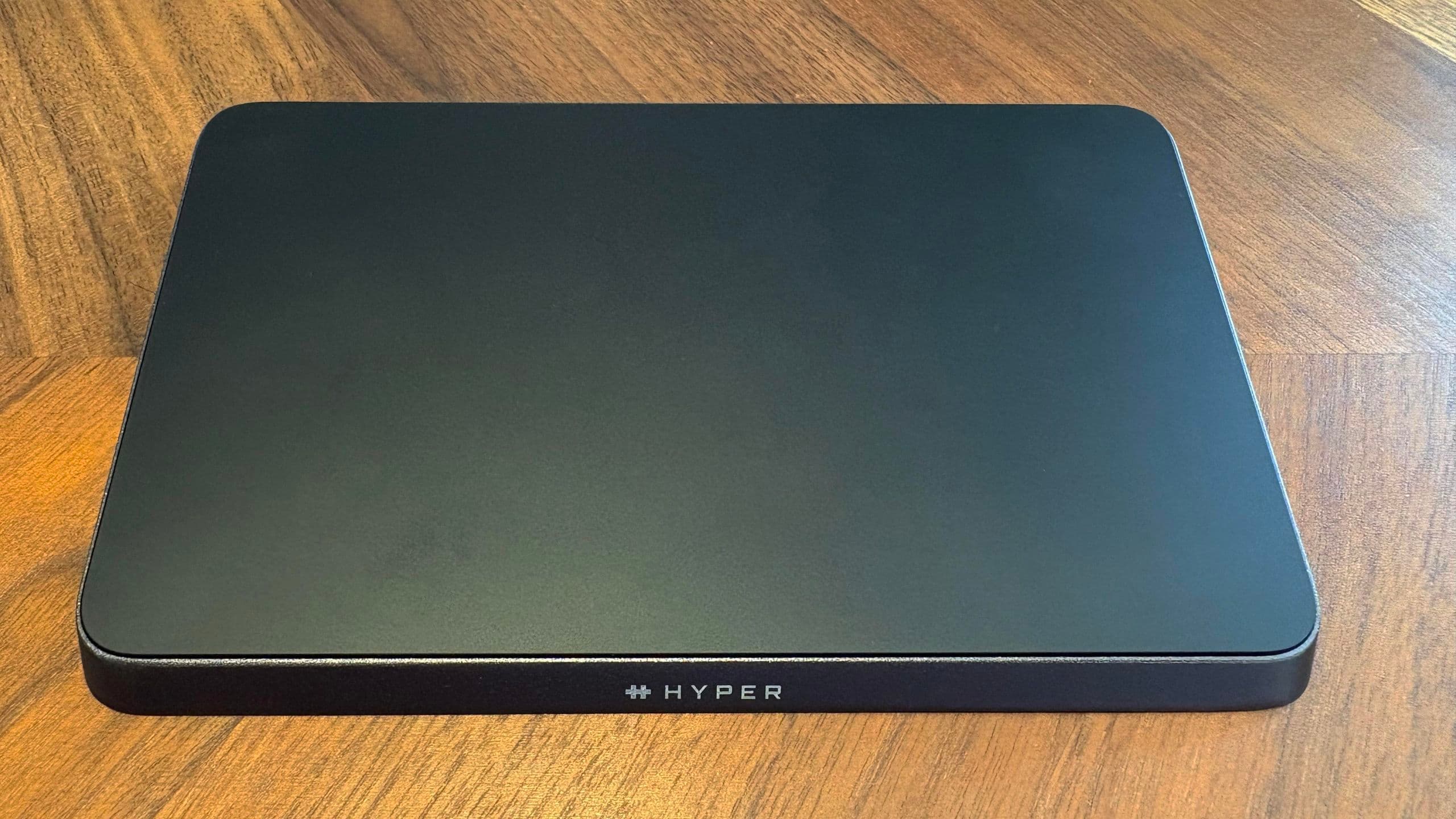
The design is the ultimate exercise in minimalism. When powered off, it's nothing more than a slab of black glass — an obsidian plate. There's no logo, no button, not even a charging indicator on the surface.
The moment your finger draws near, faint guide LEDs illuminate from deep within the glass to show the active area. Sensors are placed right up to the very edges, so tracking doesn't break even if your finger slips off the side. Sitting on your desk like a sliver of "void" carved out of the air, it not only satisfies the desire for ownership but is also designed not to disrupt creative thinking.
| Summary: A 30,000-yen investment that makes the mouse obsolete
image Windows Central
The price is $299 (around 45,000 yen). That's an exceptional premium for an input device — but this isn't a replacement for the mouse. It's a "third hand."
For 3D modelers, video creators, and the residents of spatial computers who have hit the limits of 2D plane-based interaction: the HyperSpace Trackpad Pro grants your fingertips a new kind of freedom — depth. Once you've experienced this sense of "floating," you'll never go back to a life of just smudging your fingers on a flat board.